Explore the 1 AI photo styles in the Karwa Chauth collection from Trendy AI Lab, including Karwa Chauth Traditional Portrait. Pick a style, upload a selfie, and create a share-worthy AI image in seconds, free with rewarded ads on Android.
This is a seasonal collection. Browse the styles here any time, they return in the app for the season. See what's available now.
Every style here returns a square image, sized for a profile picture or a post, works from one photo and lets you set Outfit Color before generating.
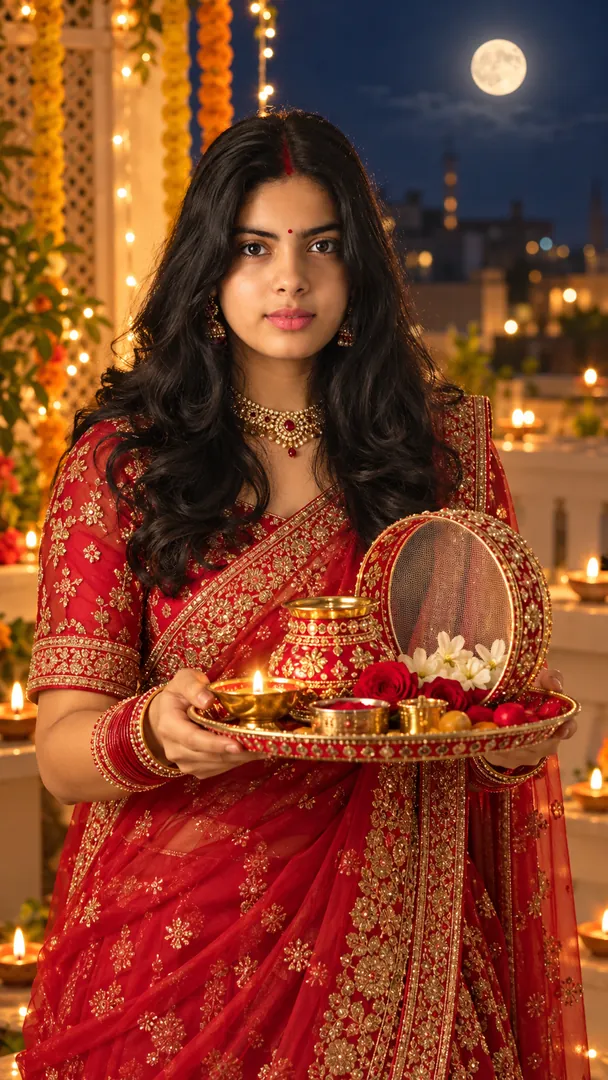
Create a beautiful Karwa Chauth portrait featuring traditional Indian attire, bridal jewelry, a decorated puja thali, warm festive lights, and customizable outfit colors while preserving the person's exact identity.
Using the attached photo of me, create a square image in the Karwa Chauth Traditional Portrait style from the Karwa Chauth collection. Create a beautiful Karwa Chauth portrait featuring traditional Indian attire, bridal jewelry, a decorated puja thali, warm festive lights, and customizable outfit colors while preserving the person's exact identity. Keep my face, skin tone and features exactly the same. Realistic detail and natural light, no text unless asked. Fill in these details: Outfit Color: [your outfit color].
Prefer one tap with no pasting, and your face kept the same? Use the app.
Choose a look from the Karwa Chauth collection above. No editing skill needed.
Add a clear, well-lit selfie. It is used only to make your image and is deleted afterward.
Your AI photo is ready in seconds to download or share anywhere.
Open the Trendy AI Lab app, pick a style from the Karwa Chauth collection, upload a photo, and the app generates your image in seconds. You can then download or share it.
Use a clear, well-lit, front-facing photo with a simple background so your face is easy to see. That gives the AI the most to work with.
Yes. The browser image tools are free with no account at all. In the app you earn free credits by watching rewarded ads, or buy credit packs.
The image tools work in any browser, on phone or desktop. The AI trends are in the Android app, with the iOS version coming soon.
Your photo is sent to a third-party AI service only to generate your image, and the upload is deleted afterwards. It is never used for advertising.
Get the Trendy AI Lab app and try it free with rewarded ads.

 Coming soon