AI Navratri Photo Maker 2027
Explore the 9 AI photo styles in the Navratri collection from Trendy AI Lab, including Navratri Mata Rani Getup, Navratri Darshan, Garbo Garba and Business Wishing Card. Pick a style, upload a selfie, and create a share-worthy AI image in seconds with a plan on Android. The prompt for each style is free to copy.
Updated
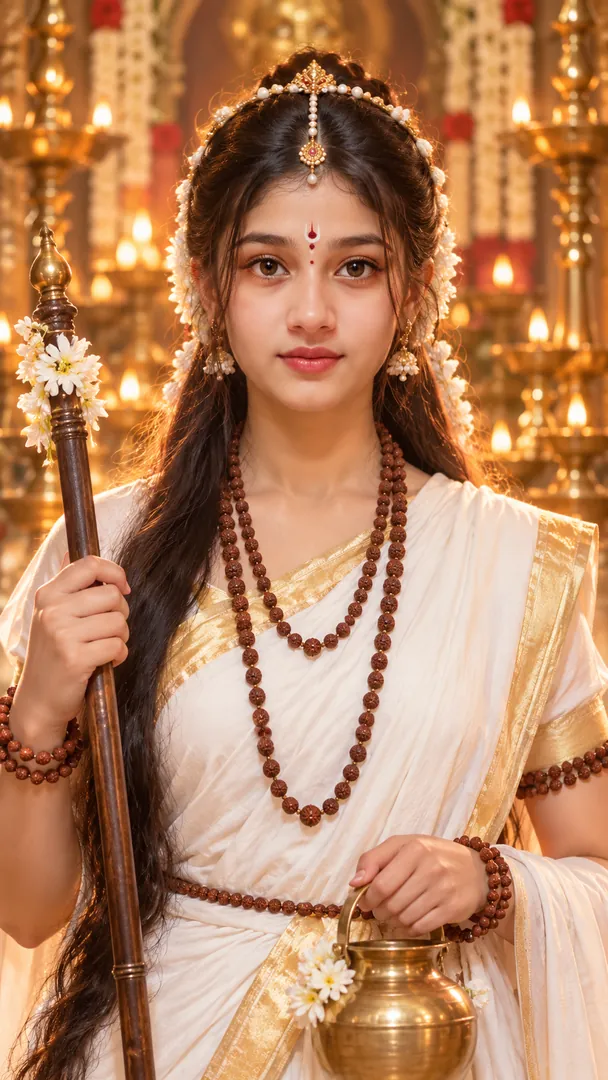
AI prompt for Navratri Mata Rani Getup
- Copy the prompt
- Open your AI app
- Attach your photo and send
From the attached photo, create a close half body portrait of me as a devotee in a devotional costume inspired by [form, for example Shailputri], one of the nine forms of Durga, shown respectfully: attire in her colours, a delicate gold crown headpiece, a small bindi, gentle makeup and a flower garland. I face the camera squarely with calm eyes. My face stays recognisable as in the photo. Soft glowing light, warm temple colours, vertical 9:16.
Prefer one tap with no pasting, and your face kept the same? Use the app.
The Navratri collection turns your photo into festive AI Garba photos, a mid-spin Garba portrait, a Dandiya night, a detailed chaniya choli fashion portrait, a kids' twirl and a nine-colour look grid, keeping your face recognizable while the outfit, venue and lighting are styled around you.
- Garba and Dandiya night scenes from a single photo
- Choose your chaniya choli colour, venue, embroidery and jewellery
- A nine-panel grid for all nine Navratri colours in one image
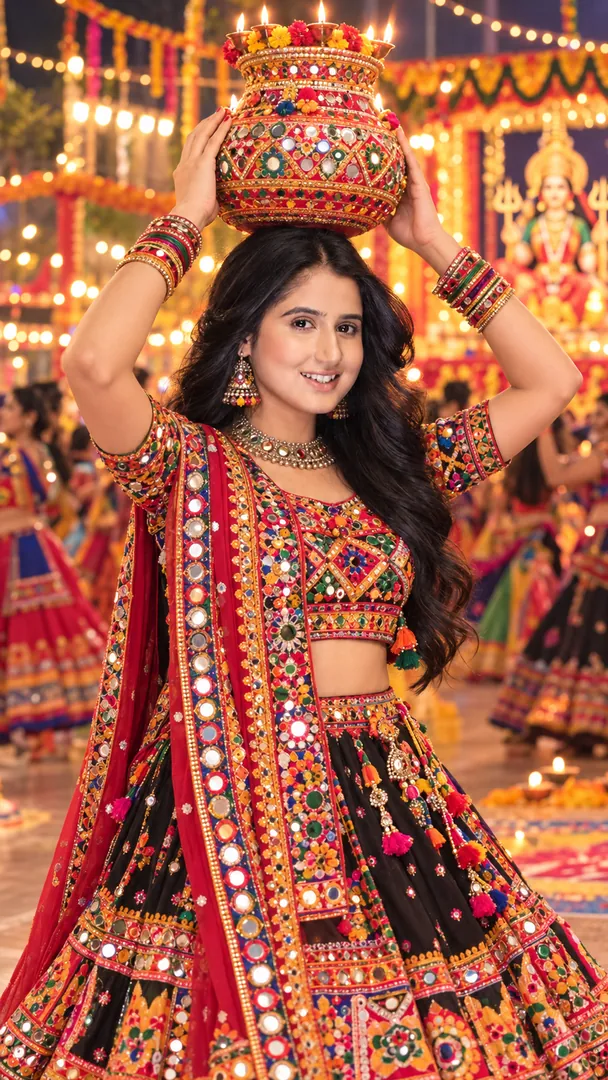
Show me from the attached photo performing Garba with a decorated, lit clay Garbo pot balanced on my head and both hands lightly steadying it, in traditional Gujarati festive dress such as chaniya choli or kediyu with dhoti, mirror work catching the light. A courtyard at night, strings of marigold and fairy lights. My face and features stay exactly the same. Joyful calm smile, warm glow, 50mm lens, a hint of swirling motion, vertical 9:16.
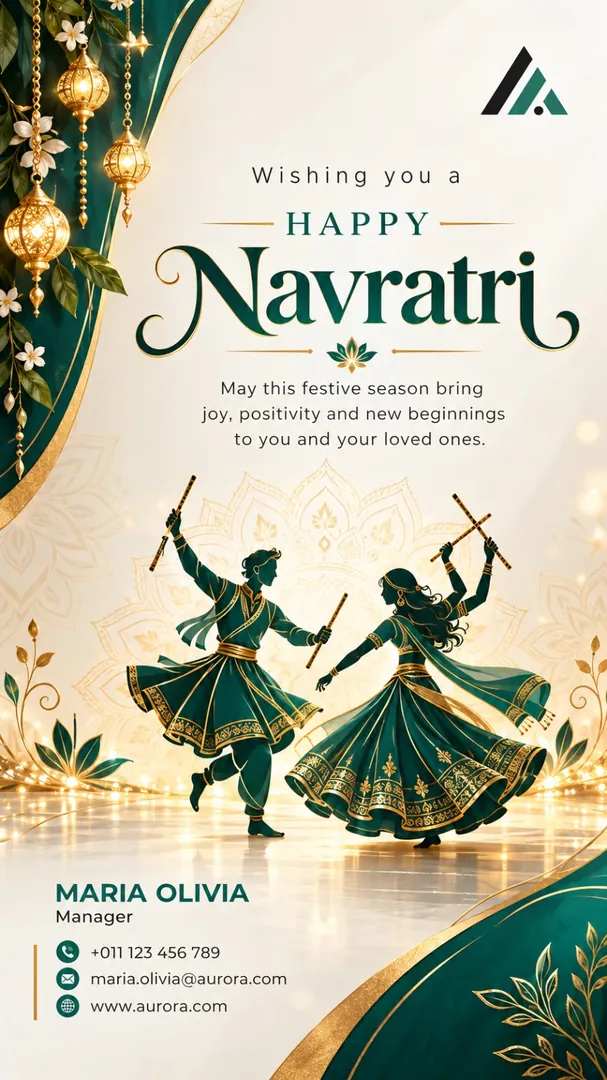
Design a Navratri greeting poster from the attached business card, using the business name, address, phone and logo exactly as printed, nothing redrawn or invented. Greeting: [greeting, for example Happy Navratri]. Business: [business name], [industry, for example retail store]. Give it [region, for example Gujarat]'s festive look: dandiya sticks, a glowing clay pot, mirror work, in deep purple and warm gold, with one or two tools of the trade placed neatly. Clean readable lettering, generous margins, vertical 9:16.




Next festivals to make photos for
All 9 styles in Navratri
Every style here works from one photo.
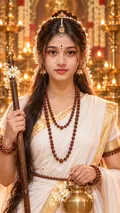
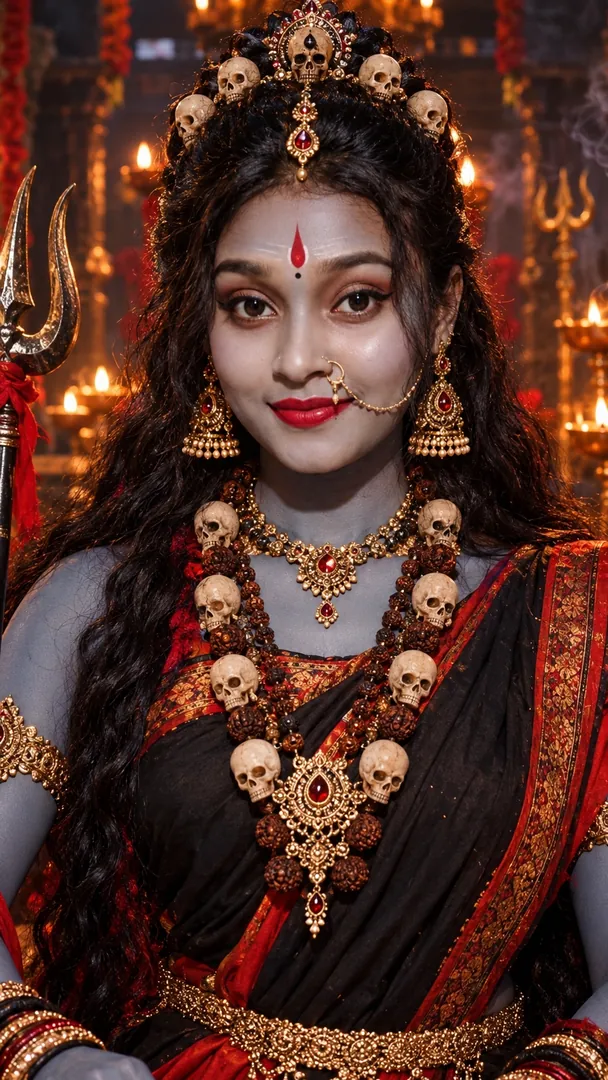
Navratri Mata Rani Getup
Transform your portrait into a divine Mata Rani getup with goddess-inspired makeup, face styling, attire, and jewelry while preserving your exact identity in a straight-to-camera half-body close-up.
Returns a tall 9:16 image, sized to fill a phone screen, Options: Mata Rani Getup.
From the attached photo, create a close half body portrait of me as a devotee in a devotional costume inspired by [form, for example Shailputri], one of the nine forms of Durga, shown respectfully: attire in her
Get the AI prompt for Navratri Mata Rani Getup
- Copy the prompt
- Open your AI app
- Attach your photo and send
From the attached photo, create a close half body portrait of me as a devotee in a devotional costume inspired by [form, for example Shailputri], one of the nine forms of Durga, shown respectfully: attire in her colours, a delicate gold crown headpiece, a small bindi, gentle makeup and a flower garland. I face the camera squarely with calm eyes. My face stays recognisable as in the photo. Soft glowing light, warm temple colours, vertical 9:16.
Prefer one tap with no pasting, and your face kept the same? Use the app.
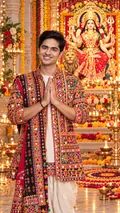
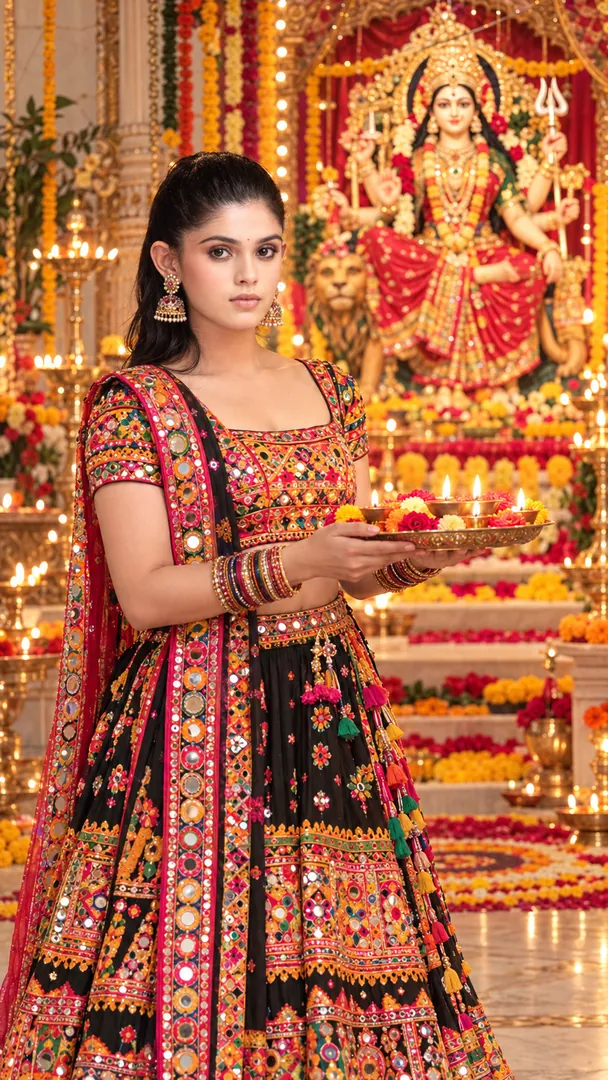
Navratri Darshan
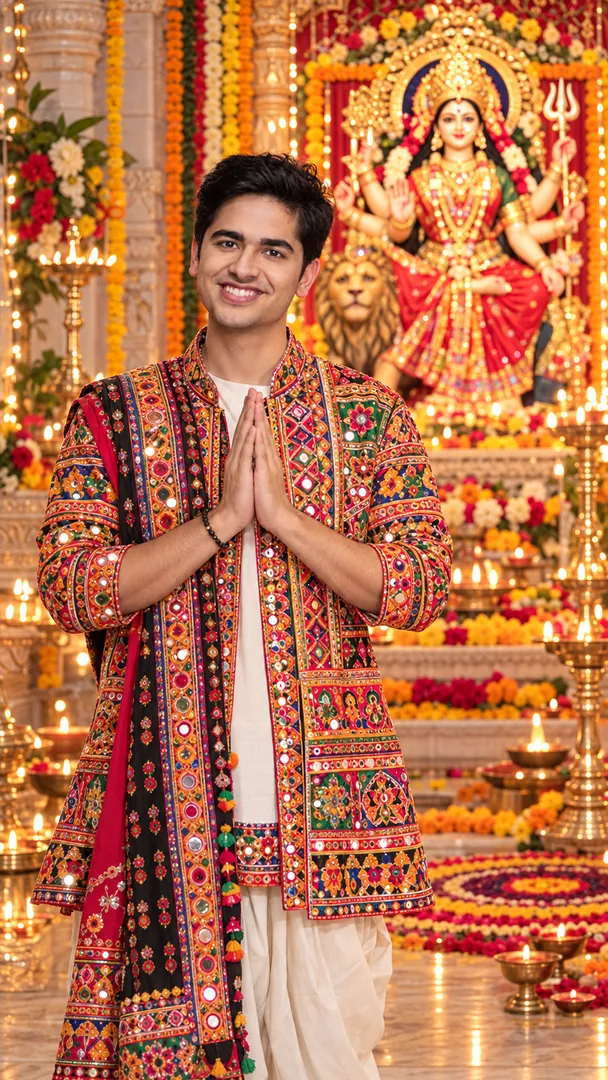
Create a realistic Gujarati Navratri temple portrait with traditional attire, devotional pose, Mataji idol, diyas, flowers, rangoli, and warm festive lighting while preserving the person’s exact identity.
Returns a tall 9:16 image, sized to fill a phone screen.
Place me from the attached photo at a Gujarati Navratri temple, standing and facing the camera with folded hands in a devotional pose, in traditional Gujarati festive clothes.
Get the AI prompt for Navratri Darshan
- Copy the prompt
- Open your AI app
- Attach your photo and send
Place me from the attached photo at a Gujarati Navratri temple, standing and facing the camera with folded hands in a devotional pose, in traditional Gujarati festive clothes. Behind me, one softly lit Mataji idol shown with dignity, brass diyas, marigold garlands and a colourful rangoli on the floor. My face stays unchanged. Warm lamp light, 50mm lens with gentle depth of field, red and gold tones, serene mood, vertical 9:16.
Prefer one tap with no pasting, and your face kept the same? Use the app.
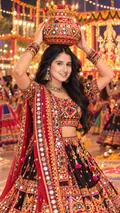
Garbo Garba
Celebrate Navratri with traditional Garba, a beautifully decorated Garbo pot, vibrant Gujarati attire, and a festive atmosphere.
Returns a tall 9:16 image, sized to fill a phone screen.
Show me from the attached photo performing Garba with a decorated, lit clay Garbo pot balanced on my head and both hands lightly steadying it, in traditional Gujarati festive dress such as chaniya choli or kediyu with
Get the AI prompt for Garbo Garba
- Copy the prompt
- Open your AI app
- Attach your photo and send
Show me from the attached photo performing Garba with a decorated, lit clay Garbo pot balanced on my head and both hands lightly steadying it, in traditional Gujarati festive dress such as chaniya choli or kediyu with dhoti, mirror work catching the light. A courtyard at night, strings of marigold and fairy lights. My face and features stay exactly the same. Joyful calm smile, warm glow, 50mm lens, a hint of swirling motion, vertical 9:16.
Prefer one tap with no pasting, and your face kept the same? Use the app.
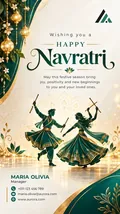
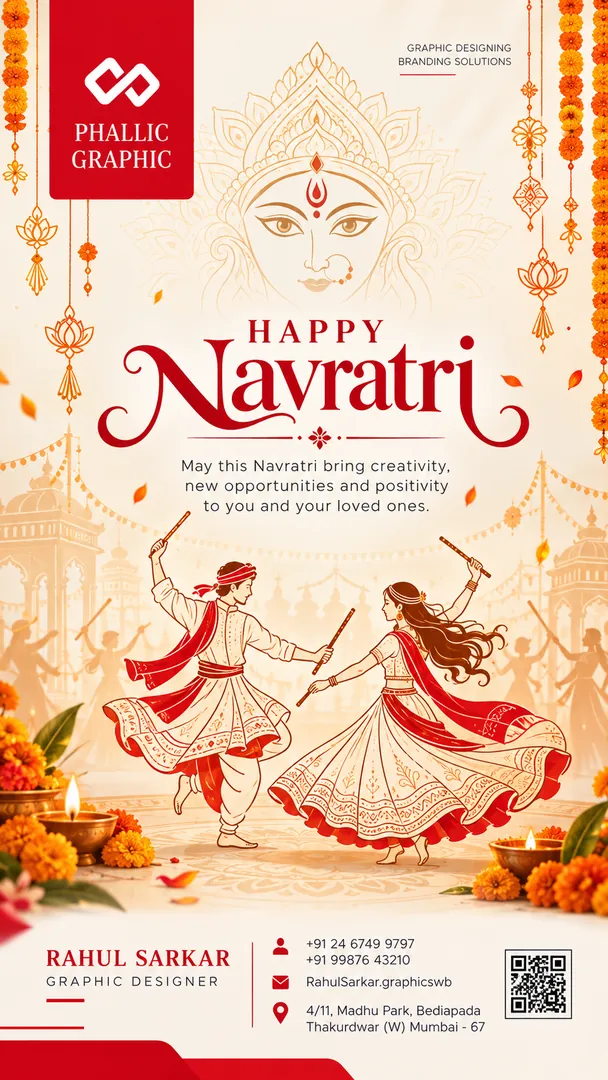
Business Wishing Card
Create a premium Navratri business greeting post using the details from the uploaded business visiting card. Preserve the brand name, logo, contact details, and business identity, styled in the Navratri look of your part of India, with customizable layouts, colors, and a personalized Navratri greeting.
Returns a tall 9:16 image, sized to fill a phone screen, Options: Business name, Industry / Business, Region, Layout, Colours, Greeting.
Design a Navratri greeting poster from the attached business card, using the business name, address, phone and logo exactly as printed, nothing redrawn or invented.
Get the AI prompt for Business Wishing Card
- Copy the prompt
- Open your AI app
- Attach your photo and send
Design a Navratri greeting poster from the attached business card, using the business name, address, phone and logo exactly as printed, nothing redrawn or invented. Greeting: [greeting, for example Happy Navratri]. Business: [business name], [industry, for example retail store]. Give it [region, for example Gujarat]'s festive look: dandiya sticks, a glowing clay pot, mirror work, in deep purple and warm gold, with one or two tools of the trade placed neatly. Clean readable lettering, generous margins, vertical 9:16.
Prefer one tap with no pasting, and your face kept the same? Use the app.
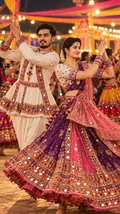
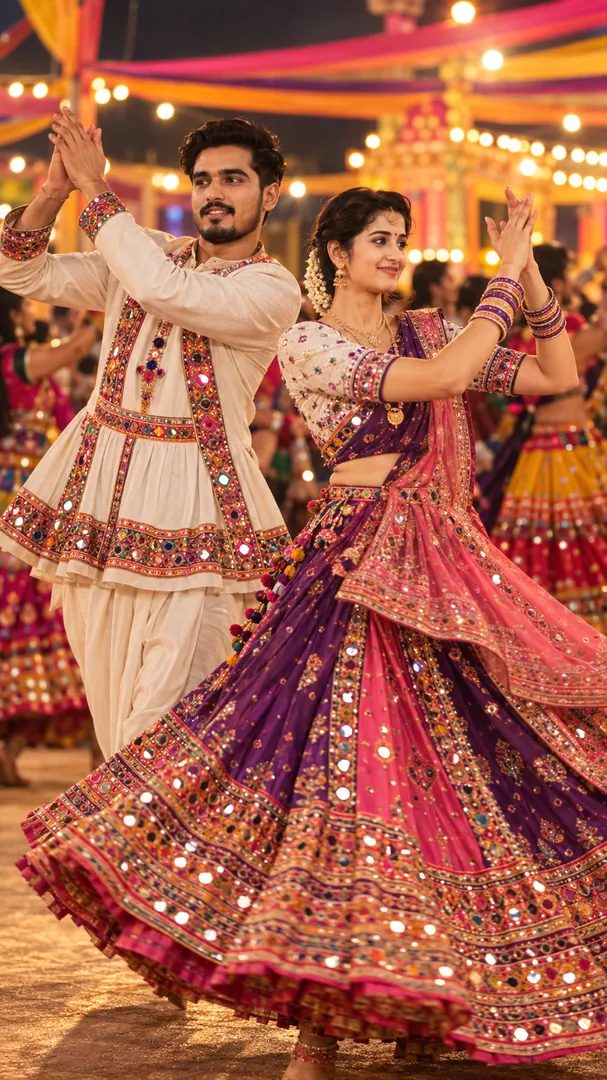
Garba Spin
Caught mid-spin, chaniya choli flaring, under the Navratri lights.
Returns a tall 9:16 image, sized to fill a phone screen, Options: Clothing Colours, Venue, Greeting.
Catch me mid spin in a Garba circle, taken from my attached photo, in a [chaniya choli colour, for example vivid red with gold mirror work] chaniya choli with the skirt flaring wide.
Get the AI prompt for Garba Spin
- Copy the prompt
- Open your AI app
- Attach your photo and send
Catch me mid spin in a Garba circle, taken from my attached photo, in a [chaniya choli colour, for example vivid red with gold mirror work] chaniya choli with the skirt flaring wide. Venue: [venue, for example a large open ground Garba pandal ringed with festive lights]. Keep my face exactly as photographed. Motion blur on the skirt, sharp face, warm lights, dancers behind. Add [Happy Navratri] spelled exactly. Vertical 9:16.
Prefer one tap with no pasting, and your face kept the same? Use the app.
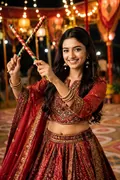
Dandiya Night
Sticks up mid-raas at a properly lit Dandiya night.
Returns a tall 9:16 image, sized to fill a phone screen, Options: Outfit, Lighting mood.
Show me with dandiya sticks raised mid raas at a properly lit Dandiya night, using my attached photo, wearing [outfit, for example traditional Garba wear].
Get the AI prompt for Dandiya Night
- Copy the prompt
- Open your AI app
- Attach your photo and send
Show me with dandiya sticks raised mid raas at a properly lit Dandiya night, using my attached photo, wearing [outfit, for example traditional Garba wear]. Keep my face unchanged. A circle of dancers in colourful costumes behind me, [lighting mood, for example warm golden festival lighting with soft glowing bokeh], an energetic pose, 35mm lens. Vertical 9:16.
Prefer one tap with no pasting, and your face kept the same? Use the app.
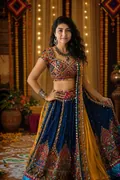
Chaniya Choli Portrait
Mirror work, embroidery and jewellery, photographed close enough to see it all.
Returns a tall 9:16 image, sized to fill a phone screen, Options: Embroidery style, Colour, Jewellery.
Make a close portrait from the attached photo that shows every detail of a chaniya choli with [embroidery style, for example dense Kutchi mirror work], in [colour, for example deep red and gold], with [jewellery, for
Get the AI prompt for Chaniya Choli Portrait
- Copy the prompt
- Open your AI app
- Attach your photo and send
Make a close portrait from the attached photo that shows every detail of a chaniya choli with [embroidery style, for example dense Kutchi mirror work], in [colour, for example deep red and gold], with [jewellery, for example oxidised silver jhumkas, a choker and stacked bangles]. Keep my face exactly as photographed. Soft window light, 85mm lens, shallow depth of field, a plain warm backdrop, sharp fabric texture. Vertical 9:16.
Prefer one tap with no pasting, and your face kept the same? Use the app.
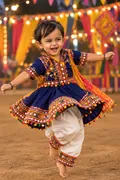
Kids Garba
Your child mid-twirl in a bright traditional outfit under the lights.
Returns a tall 9:16 image, sized to fill a phone screen, Options: Outfit colour, Venue.
Show the child in the attached photo mid twirl at a Garba night in a bright [outfit colour, for example red with gold mirror work] traditional outfit, the skirt or kurta spinning.
Get the AI prompt for Kids Garba
- Copy the prompt
- Open your AI app
- Attach your photo and send
Show the child in the attached photo mid twirl at a Garba night in a bright [outfit colour, for example red with gold mirror work] traditional outfit, the skirt or kurta spinning. Keep the child's face, age and look exactly as in the photo, natural and wholesome. Venue: [venue, for example a large open ground pandal ringed with festive lights]. Warm glowing bokeh, a happy laugh. Vertical 9:16.
Prefer one tap with no pasting, and your face kept the same? Use the app.
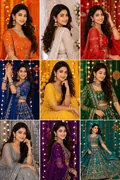
Nine Colours Grid
Nine panels, one for each of the nine traditional Navratri colours.
Returns a square image, sized for a profile picture or a post, Options: Outfit style, Layout.
Using my attached photo, make one square image divided into a clean three by three grid of nine equal panels with thin white gaps, each showing me in a Garba outfit in one of the nine Navratri colours: orange, white,
Get the AI prompt for Nine Colours Grid
- Copy the prompt
- Open your AI app
- Attach your photo and send
Using my attached photo, make one square image divided into a clean three by three grid of nine equal panels with thin white gaps, each showing me in a Garba outfit in one of the nine Navratri colours: orange, white, red, royal blue, yellow, green, grey, purple and pink. Outfit style: [outfit style, for example traditional mirror and bandhani work]. Keep my face the same in every panel, with a similar pose and soft festive light.
Prefer one tap with no pasting, and your face kept the same? Use the app.
How to use these prompts in Gemini (Nano Banana) or ChatGPT
- Pick a prompt above and tap Copy prompt, or Open in Gemini to copy and open it in one go.
- In Gemini or ChatGPT, attach a clear photo of your face (or of everyone in the picture).
- Paste the prompt, fill in anything in [brackets], and send.
- Not quite right? Reply with one change, such as "warmer light" or "keep my face exactly the same".
From selfie to Navratri in three taps
Pick a style
Choose a look from the Navratri collection above. No editing skill needed.
Upload a photo
Add a clear, well-lit selfie. It is used only to make your image and is deleted afterward.
Generate and share
Your AI photo is ready in seconds to download or share anywhere.
Tips for the best result
Use a clear, well-lit photo showing your full face so the festival lighting and jewellery detail sit naturally on it.
Navratri: photos, prompts and plans explained
How do I make a photo from the Navratri collection?
Open the Trendy AI Lab app, pick a style from the Navratri collection, upload a photo, and the app generates your image in seconds. You can then download or share it.
What photo works best for Navratri?
Use a clear, well-lit photo showing your full face so the festival lighting and jewellery detail sit naturally on it.
Is Trendy AI Lab free?
The prompt for every style is free: copy it into ChatGPT or Gemini. Making the image in the app, with your face kept the same, needs a weekly or monthly plan, and the browser image tools are free with no account.
Which platforms is it available on?
The image tools work in any browser, on phone or desktop. The AI trends are in the Android app, with the iOS version coming soon.
How is my photo used?
Your photo is sent to a third-party AI service only to generate your image, and the upload is deleted afterwards. It is never used for advertising.
Make yours from the Navratri collection
Copy a free prompt for any style here, or make it with your own face in the Trendy AI Lab app.

 Coming soon