AI Dussehra Photo Maker 2026
Explore the 6 AI photo styles in the Dussehra collection from Trendy AI Lab, including Ravana Dahan Night, Dussehra Business Greeting, Ram Leela Stage and Vijayadashami Blessing. Pick a style, upload a selfie, and create a share-worthy AI image in seconds with a plan on Android. The prompt for each style is free to copy.
Updated

AI prompt for Ravana Dahan Night
- Copy the prompt
- Open your AI app
- Attach your photo and send
Using the attached photo, show me at a Dussehra night ground: I wear [traditional festive wear that suits me], standing in a crowd, smiling, as a towering paper effigy burns far behind me with flames and sparks lighting the whole ground. Keep my face exactly as it is in the photo. Warm firelight on my skin, orange sparks in a dark sky, blurred faces behind, 35mm lens. Add this greeting in clean lettering, spelled exactly: [Happy Dussehra]. Vertical 9:16.
Prefer one tap with no pasting, and your face kept the same? Use the app.
The Dussehra collection turns your photo into festive AI Vijayadashami photos, the Ravana effigy burning at night, a Ram Leela evening, a shami-leaf blessing, a family celebration and a victory portrait, keeping every face recognizable while the outfit, setting and festival light are built around you.
- Effigy night, Ram Leela and blessing scenes from a single photo
- Choose your outfit, the setting, the mood and your greeting
- Works for a solo portrait or the whole family
Using the attached photo, show me at a Dussehra night ground: I wear [traditional festive wear that suits me], standing in a crowd, smiling, as a towering paper effigy burns far behind me with flames and sparks lighting the whole ground. Keep my face exactly as it is in the photo. Warm firelight on my skin, orange sparks in a dark sky, blurred faces behind, 35mm lens. Add this greeting in clean lettering, spelled exactly: [Happy Dussehra]. Vertical 9:16.
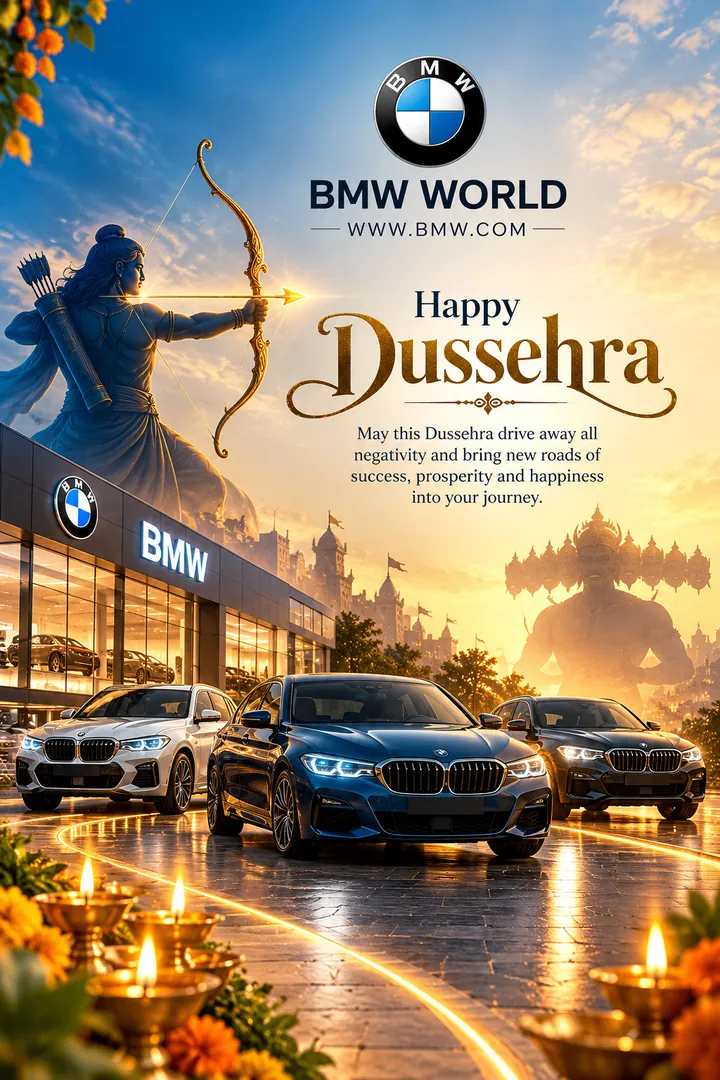
Using the attached logo, design a square Dussehra greeting post for my business [business name], a [type of business]. A golden bow and arrow as the centrepiece, marigold garlands, diyas and soft festive light around it, with small props that show what the business does. Place the logo cleanly without changing it. Colour theme: [colour theme]. Add this greeting in elegant lettering, spelled exactly: [Happy Dussehra from all of us]. Premium, uncluttered layout. Square 1:1.

Turn my attached photo of my family into a Ram Leela evening: we sit together on the ground among the audience in [traditional Indian festive wear], close to [a traditional open-air Ram Leela stage with painted backdrops and oil footlights], watching with delighted faces. Keep everyone's faces exactly as in the photo and add nobody. The performers stay small background figures on the stage. Warm lamp light, a soft glow, 35mm lens. Vertical 9:16.

From the attached photo, create a quiet Vijayadashami portrait: I stand at [a decorated home altar with shami leaves, flowers and lit diyas], wearing [dignified traditional festive wear that suits me], hands folded, a calm look. My face stays exactly as in the photo. Soft warm diya light, marigold garlands, brass plates, shallow depth of field on a 50mm lens. Add this greeting in clean lettering, spelled exactly: [Shubh Vijayadashami]. Vertical 9:16.

Make a hero portrait from my attached photo: I stand tall with feet apart and a calm, confident look, wearing [traditional festive wear that suits me], a towering paper effigy silhouetted far behind me against a dusk sky of orange and purple. My face stays exactly as in the photo. Warm rim light, a few sparks floating, a low angle on a 35mm lens, mood: [triumphant and uplifting]. Vertical 9:16.



Next festivals to make photos for
6 Dussehra AI prompts for ChatGPT and Gemini
Every style here works from one photo.
Ravana Dahan Night prompt
Firelight and a crowd, with Ravana going up somewhere behind you.
Returns a tall 9:16 image, sized to fill a phone screen, Options: Outfit, Setting, Greeting.
Using the attached photo, show me at a Dussehra night ground: I wear [traditional festive wear that suits me], standing in a crowd, smiling, as a towering paper effigy burns far behind me with flames and sparks lighting
Get the AI prompt for Ravana Dahan Night
- Copy the prompt
- Open your AI app
- Attach your photo and send
Using the attached photo, show me at a Dussehra night ground: I wear [traditional festive wear that suits me], standing in a crowd, smiling, as a towering paper effigy burns far behind me with flames and sparks lighting the whole ground. Keep my face exactly as it is in the photo. Warm firelight on my skin, orange sparks in a dark sky, blurred faces behind, 35mm lens. Add this greeting in clean lettering, spelled exactly: [Happy Dussehra]. Vertical 9:16.
Prefer one tap with no pasting, and your face kept the same? Use the app.

Dussehra Business Greeting prompt
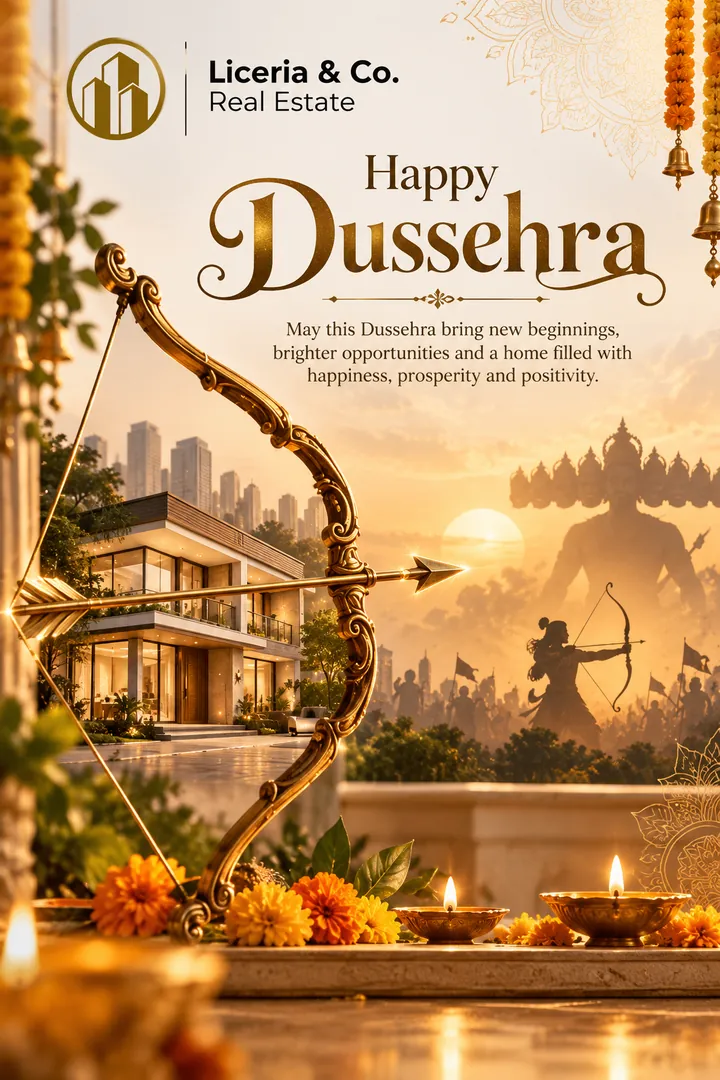
Create a personalized Dussehra business greeting featuring a golden bow and arrow, business-specific visual elements, elegant festive décor, and custom branding
Returns a square image, sized for a profile picture or a post, Options: Business Name, Business Type, Color Theme, Greeting Message.
Using the attached logo, design a square Dussehra greeting post for my business [business name], a [type of business].
Get the AI prompt for Dussehra Business Greeting
- Copy the prompt
- Open your AI app
- Attach your photo and send
Using the attached logo, design a square Dussehra greeting post for my business [business name], a [type of business]. A golden bow and arrow as the centrepiece, marigold garlands, diyas and soft festive light around it, with small props that show what the business does. Place the logo cleanly without changing it. Colour theme: [colour theme]. Add this greeting in elegant lettering, spelled exactly: [Happy Dussehra from all of us]. Premium, uncluttered layout. Square 1:1.
Prefer one tap with no pasting, and your face kept the same? Use the app.
Ram Leela Stage prompt
The family watching the Ram Leela from the crowd on a warm evening.
Returns a tall 9:16 image, sized to fill a phone screen, Options: Stage style, Outfit, Setting.
Turn my attached photo of my family into a Ram Leela evening: we sit together on the ground among the audience in [traditional Indian festive wear], close to [a traditional open-air Ram Leela stage with painted
Get the AI prompt for Ram Leela Stage
- Copy the prompt
- Open your AI app
- Attach your photo and send
Turn my attached photo of my family into a Ram Leela evening: we sit together on the ground among the audience in [traditional Indian festive wear], close to [a traditional open-air Ram Leela stage with painted backdrops and oil footlights], watching with delighted faces. Keep everyone's faces exactly as in the photo and add nobody. The performers stay small background figures on the stage. Warm lamp light, a soft glow, 35mm lens. Vertical 9:16.
Prefer one tap with no pasting, and your face kept the same? Use the app.
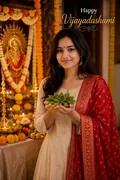
Vijayadashami Blessing prompt
Shami leaves, diyas and the quiet dignity Vijayadashami is meant to carry.
Returns a tall 9:16 image, sized to fill a phone screen, Options: Outfit, Setting, Greeting.
From the attached photo, create a quiet Vijayadashami portrait: I stand at [a decorated home altar with shami leaves, flowers and lit diyas], wearing [dignified traditional festive wear that suits me], hands folded, a
Get the AI prompt for Vijayadashami Blessing
- Copy the prompt
- Open your AI app
- Attach your photo and send
From the attached photo, create a quiet Vijayadashami portrait: I stand at [a decorated home altar with shami leaves, flowers and lit diyas], wearing [dignified traditional festive wear that suits me], hands folded, a calm look. My face stays exactly as in the photo. Soft warm diya light, marigold garlands, brass plates, shallow depth of field on a 50mm lens. Add this greeting in clean lettering, spelled exactly: [Shubh Vijayadashami]. Vertical 9:16.
Prefer one tap with no pasting, and your face kept the same? Use the app.
Dussehra Family Celebration prompt
The family together in the lights of the festival evening.
Returns a tall 9:16 image, sized to fill a phone screen, Options: Outfit, Setting, Greeting.
Using my attached photo of my family, make a Dussehra evening portrait: we stand close together in [traditional Indian festive wear], in a lively fair ground among the crowds with strings of lights, balloon sellers and
Get the AI prompt for Dussehra Family Celebration
- Copy the prompt
- Open your AI app
- Attach your photo and send
Using my attached photo of my family, make a Dussehra evening portrait: we stand close together in [traditional Indian festive wear], in a lively fair ground among the crowds with strings of lights, balloon sellers and food stalls, a huge effigy faint far behind. Keep every face exactly as in the photo and add nobody. Warm evening light, happy relaxed smiles, 35mm lens. Add this greeting in clean lettering, spelled exactly: [Happy Dussehra]. Vertical 9:16.
Prefer one tap with no pasting, and your face kept the same? Use the app.
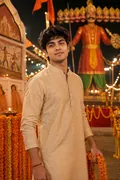
Dussehra Victory Portrait prompt
A confident hero stance against the noise and light of Dussehra night.
Returns a tall 9:16 image, sized to fill a phone screen, Options: Outfit, Background, Mood.
Make a hero portrait from my attached photo: I stand tall with feet apart and a calm, confident look, wearing [traditional festive wear that suits me], a towering paper effigy silhouetted far behind me against a dusk
Get the AI prompt for Dussehra Victory Portrait
- Copy the prompt
- Open your AI app
- Attach your photo and send
Make a hero portrait from my attached photo: I stand tall with feet apart and a calm, confident look, wearing [traditional festive wear that suits me], a towering paper effigy silhouetted far behind me against a dusk sky of orange and purple. My face stays exactly as in the photo. Warm rim light, a few sparks floating, a low angle on a 35mm lens, mood: [triumphant and uplifting]. Vertical 9:16.
Prefer one tap with no pasting, and your face kept the same? Use the app.
How to use these prompts in Gemini (Nano Banana) or ChatGPT
- Pick a prompt above and tap Copy prompt, or Open in Gemini to copy and open it in one go.
- In Gemini or ChatGPT, attach a clear photo of your face (or of everyone in the picture).
- Paste the prompt, fill in anything in [brackets], and send.
- Not quite right? Reply with one change, such as "warmer light" or "keep my face exactly the same".
From selfie to Dussehra in three taps
Pick a style
Choose a look from the Dussehra collection above. No editing skill needed.
Upload a photo
Add a clear, well-lit selfie. It is used only to make your image and is deleted afterward.
Generate and share
Your AI photo is ready in seconds to download or share anywhere.
Tips for the best result
Use a clear, well-lit photo showing your full face so the firelight and festival lighting fall naturally on it.
Dussehra: photos, prompts and plans explained
How do I make a photo from the Dussehra collection?
Open the Trendy AI Lab app, pick a style from the Dussehra collection, upload a photo, and the app generates your image in seconds. You can then download or share it.
What photo works best for Dussehra?
Use a clear, well-lit photo showing your full face so the firelight and festival lighting fall naturally on it.
Is Trendy AI Lab free?
The prompt for every style is free: copy it into ChatGPT or Gemini. Making the image in the app, with your face kept the same, needs a weekly or monthly plan, and the browser image tools are free with no account.
Which platforms is it available on?
The image tools work in any browser, on phone or desktop. The AI trends are in the Android app, with the iOS version coming soon.
How is my photo used?
Your photo is sent to a third-party AI service only to generate your image, and the upload is deleted afterwards. It is never used for advertising.
Make yours from the Dussehra collection
Copy a free prompt for any style here, or make it with your own face in the Trendy AI Lab app.

 Coming soon