Photo to Sketch
Convert any photo into an artistic pencil sketch with realistic shading and outlines.
Updated
or drop an image here, up to 25MB
- Never stored: processed in memory
- Live preview, no watermark
- No account needed
Before and after
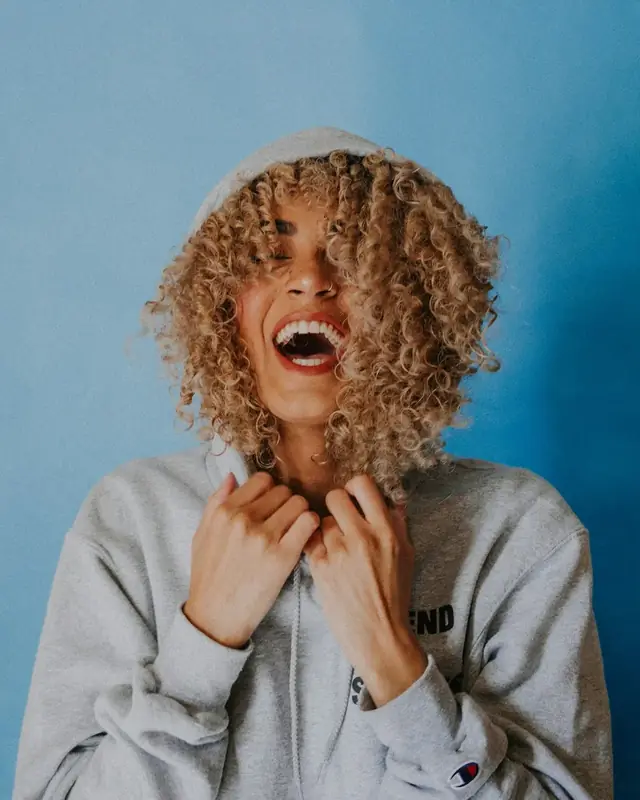
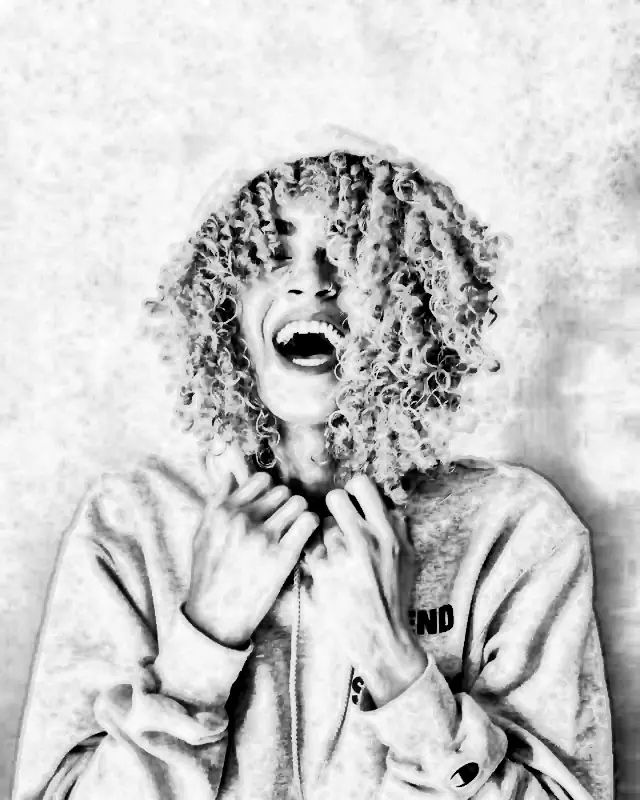
How do I turn a photo into a pencil sketch?
Add your image to Photo to Sketch on this page, up to 25MB, then set shading smoothness (blur), pencil outline darkness and paper texture grain and watch the live preview change. When it looks right, press Download. You get a PNG file, with no watermark or sign-up, and the upload is processed in memory, not stored.
- Add your image. Upload a JPG, PNG, WebP, HEIC, BMP or TIFF image up to 25MB, or drop it on the page.
- Choose your settings. Set shading smoothness, pencil outline darkness, paper texture grain and more. The preview updates as you change each one.
- Check the preview. Look over the live preview before you save it.
- Download the result. Press Download to save it to your device. Nothing is added: no watermark, no sign-up.
Photo to Sketch at a glance
| Works with | JPG, PNG, WebP, HEIC, BMP and TIFF images |
|---|---|
| Largest file | 25MB per image |
| You download | A PNG file |
| Watermark | None |
| Account | Not needed |
Settings
| Shading Smoothness (Blur) | Blur smoothness for graphite shading. 2 to 50 (default 30) |
|---|---|
| Pencil Outline Darkness | Darkness and prominence of hand-drawn pencil outline strokes. 0 to 1 (default 0.1) |
| Paper Texture Grain | Subtle tactile paper grain texture. 0 to 0.3 (default 0.08) |
| Graphite Contrast | Tone contrast between paper whites and pencil lead. 0.8 to 2 (default 1.3) |
| Brightness / Paper Tone | Lightness offset for clean paper highlights. -25 to 25 (default 0) |
When should I use Photo to Sketch?
It works best on photos with a clear subject and good contrast: portraits, pets, buildings and still life. Busy backgrounds turn into noisy lines, so crop close to the subject first.
Raise Outline Darkness for a bolder, inked look, and lower the shading smoothness for more texture. A touch of paper grain makes the result feel hand drawn when you print it or use it as a card.
Pencil Sketch: what people ask before they use it
What does the Photo to Sketch tool do?
Convert any photo into an artistic pencil sketch with realistic shading and outlines.
What can I adjust in Photo to Sketch?
You can set shading smoothness, pencil outline darkness, paper texture grain, graphite contrast and brightness. Every change previews live, so you can see the result before you download it.
What file do I get from Photo to Sketch?
A PNG file, downloaded straight to your device. Nothing is added to it: there is no watermark and no sign-up.
Is Photo to Sketch free to use?
Yes, and there is no account to create. You can use it as often as you like, on images up to 25MB.
Will the quality drop?
Only where you ask it to. The tool works from your original upload rather than a preview, so the file you download is made at full resolution.