Color Temperature
Fine-tune color temperature, tint, vibrance, and saturation for balanced photo tones.
Updated
or drop an image here, up to 25MB
- Never stored: processed in memory
- Live preview, no watermark
- No account needed
Before and after
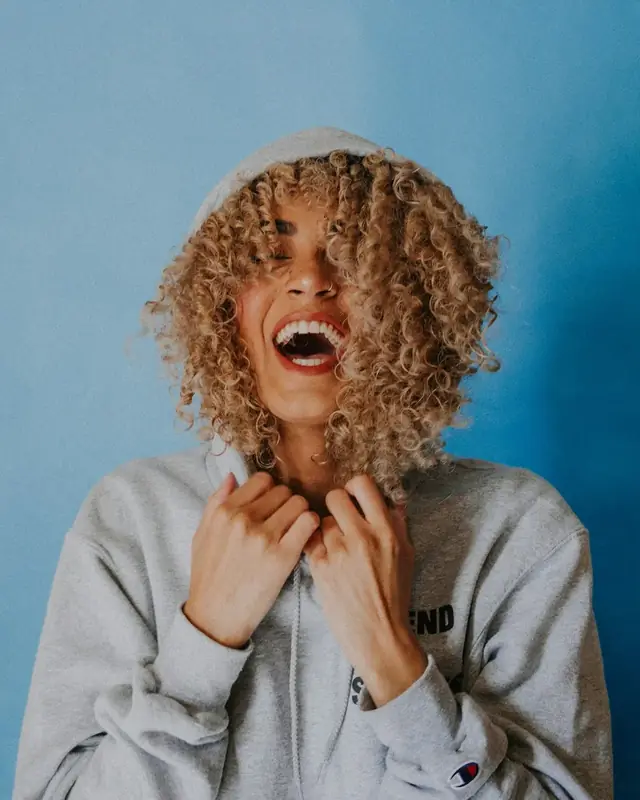
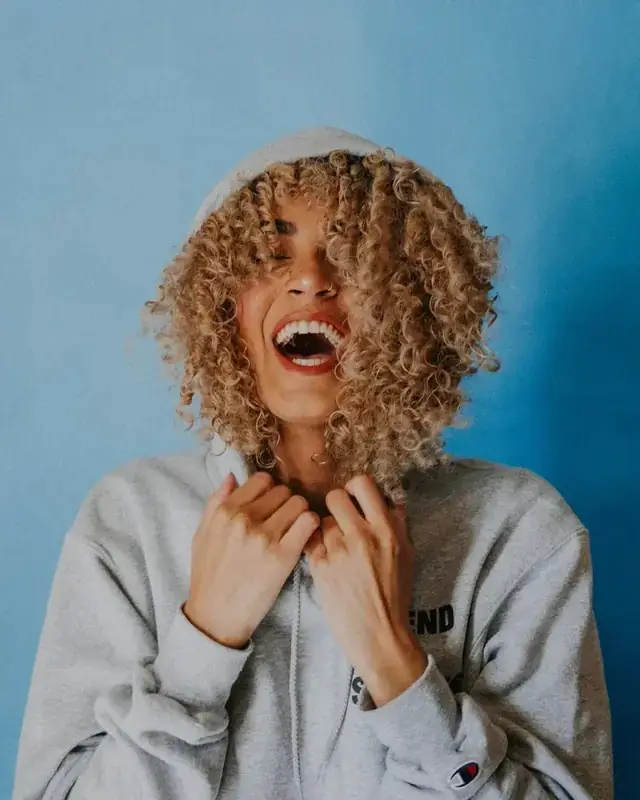
How do I fix the colour temperature of a photo?
Add your image to Color Temperature on this page, up to 25MB, then set white balance preset, temperature (cool / warm) and tint (green / magenta) and watch the live preview change. When it looks right, press Download. You get a PNG file, with no watermark or sign-up, and the upload is processed in memory, not stored.
- Add your image. Upload a JPG, PNG, WebP, HEIC, BMP or TIFF image up to 25MB, or drop it on the page.
- Choose your settings. Set white balance preset, temperature, tint and more. The preview updates as you change each one.
- Check the preview. Look over the live preview before you save it.
- Download the result. Press Download to save it to your device. Nothing is added: no watermark, no sign-up.
Color Temperature at a glance
| Works with | JPG, PNG, WebP, HEIC, BMP and TIFF images |
|---|---|
| Largest file | 25MB per image |
| You download | A PNG file |
| Watermark | None |
| Account | Not needed |
Settings
| White Balance Preset | Choose a photographic white balance or creative color style. Custom, Golden hour, Cool daylight, Tungsten warm, Fluorescent fix, Vivid pop, Sunset glow, Cyber neon (default Custom) |
|---|---|
| Temperature (Cool / Warm) | Shift warmth from Arctic Blue (-100) to Golden Amber (+100). -100 to 100 (default 0) |
| Tint (Green / Magenta) | Shift chromatic tint from Emerald Green (-100) to Magenta (+100). -100 to 100 (default 0) |
| Smart Vibrance | Intelligently boost muted colors while protecting natural skin tones. -100 to 100% (default 0%) |
| Overall Saturation | Global color richness multiplier (0.0 Grayscale to 2.5 Vivid). 0 to 2.5 (default 1) |
| Hue Spectrum Shift | Rotate entire color wheel spectrum (-180° to +180°). -180 to 180° (default 0°) |
When should I use Color Temperature?
Fix photos that look too orange under indoor lights or too blue in shade and on cloudy days. Move Temperature the opposite way to the cast, then use Tint if the photo still looks green or pink.
Vibrance lifts dull colours while protecting skin tones, so it is safer than Saturation on portraits. The presets give quick creative looks such as Golden Hour and Sunset Glow.
Color Temperature & Tint: what people ask before they use it
What does the Color Temperature tool do?
Fine-tune color temperature, tint, vibrance, and saturation for balanced photo tones.
What can I adjust in Color Temperature?
You can set white balance preset, temperature, tint, smart vibrance, overall saturation and hue spectrum shift. Every change previews live, so you can see the result before you download it.
What file do I get from Color Temperature?
A PNG file, downloaded straight to your device. Nothing is added to it: there is no watermark and no sign-up.
Is Color Temperature free to use?
Yes, and there is no account to create. You can use it as often as you like, on images up to 25MB.
What happens to the image I upload?
It is processed in memory and returned to you directly. It is not written to our servers, so there is nothing left behind afterwards.