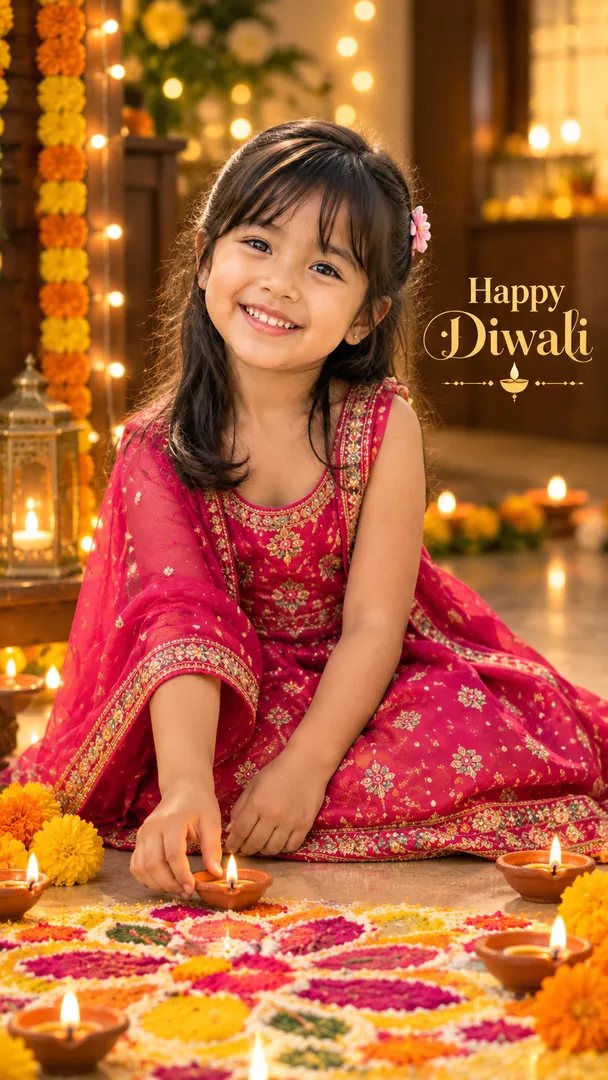
Diwali Little Diya Lighter AI Prompt
Your little one lighting diyas beside a bright rangoli, glowing in the lamplight.
AI prompt for Little Diya Lighter
- Copy the prompt
- Open your AI app
- Attach your photo and send
Using the attached photo of my child, make a cosy Diwali portrait at home: my child [moment, for example carefully setting a small lit diya on the edge of a rangoli], in [outfit, for example a bright traditional festive outfit], surrounded by small clay diyas, marigolds and soft fairy lights. Keep my child's face exactly as in the photo, and keep every flame small and well away from their clothes and hair. Shot at the child's eye level. Greeting [Happy Diwali], spelled exactly. Vertical 9:16.
Prefer one tap with no pasting, and your face kept the same? Use the app.

 Coming soon
What is the Little Diya Lighter effect?
Little Diya Lighter is an AI photo effect from the Diwali collection in the Trendy AI Lab app. Upload a selfie and the AI recreates it in this style in seconds, so you get a polished, share-worthy image with no editing skills needed.
How to get the best Little Diya Lighter result
Use a clear, well-lit photo where every face is fully visible so the festive lighting falls naturally on it.
What you get from Little Diya Lighter
Little Diya Lighter returns a tall 9:16 image, sized to fill a phone screen. It works from one photo and you can set Moment, Outfit and Greeting before generating.
More about Diwali
The Diwali collection turns your photo into festive AI Diwali images: a glowing diya wall portrait, a family rangoli courtyard, a sparkler night, a Lakshmi Puja moment, a couple in golden lamplight, a rooftop under lanterns and fireworks, a child lighting diyas, a Happy Diwali wishes card with your own message and a Diwali post for your business. Every face stays recognizable while the outfit and scene are restyled around you, and every style has a prompt you can copy into ChatGPT or Gemini.
Make your Little Diya Lighter in three taps
Pick a style
Choose this look in the Trendy AI Lab app, no design skills needed.
Upload a selfie
Add a photo from your gallery. It's used only to make your image.
Generate & share
Your AI image is ready in seconds, download or share it anywhere.
Questions about Little Diya Lighter
How do I make a Little Diya Lighter photo?
Open the Trendy AI Lab app, choose the Little Diya Lighter style, upload one photo, and the app generates your image in seconds.
What photo works best for Little Diya Lighter?
Use a clear, well-lit photo where every face is fully visible so the festive lighting falls naturally on it.
How many photos does Little Diya Lighter need?
Just one. Little Diya Lighter works from a single upload, and you can run it again on a different photo as often as you like.
Can I personalise my Little Diya Lighter photo?
Yes. Little Diya Lighter lets you set Moment, Outfit and Greeting before you generate, so two people running the same style get different results.
How is my photo used?
Your photo is sent to a third-party AI service only to generate your image, and the upload is deleted afterwards. It is never used for advertising.
More Diwali styles
View all →
Create a Diwali portrait of me from the attached photo, standing before a wall of lit brass diyas set in niches, with marigold garlands and a rangoli at my feet, wearing [outfit, for example traditional festive wear]. Keep my face exactly as photographed. Warm gold glow and soft bokeh, with clear space at the top for the greeting [Happy Diwali], spelled exactly. 85mm lens, vertical 9:16.

Show everyone in the attached photo gathered around an intricate rangoli in a courtyard, lit by diyas and strings of fairy lights, in [outfit, for example traditional Indian festive wear]. Rangoli: [rangoli style, for example a large floral petal design in marigold orange and rose pink]. Keep every face exactly as in the photo. Evening light, relaxed smiles, and the greeting [Happy Diwali] spelled exactly. Vertical 9:16.

Make a Diwali sparkler night from the attached photo: the person holding a lit sparkler at arm's length, trails of light drawn in the dark air, rows of diyas and warm bokeh behind. Outfit: [outfit, for example a bright traditional festive outfit]. Effect: [sparkler effect, for example long golden sparkler trails]. Keep the face exactly as in the photo, natural and safe. Greeting [Happy Diwali], spelled exactly. Vertical 9:16.

Show me quietly at the home altar for Lakshmi Puja, hands folded, from the attached photo, with the decorated Lakshmi idol shown with care and dignity: [puja setting, for example a carved wooden home mandir]. Dress: [outfit, for example dignified traditional festive wear]. Keep my face exactly as photographed. Oil lamps, marigolds, incense smoke, soft amber light, a calm mood. Vertical 9:16.

Put everyone in the attached photo together in the gold of diyas and fairy lights, standing close at [setting, for example a candlelit balcony above a glowing city], in [outfit, for example elegant traditional Indian festive wear]. Keep every face exactly as in the photo. Warm bokeh, soft rim light, 85mm lens. Add the greeting [Happy Diwali], spelled exactly. Vertical 9:16.
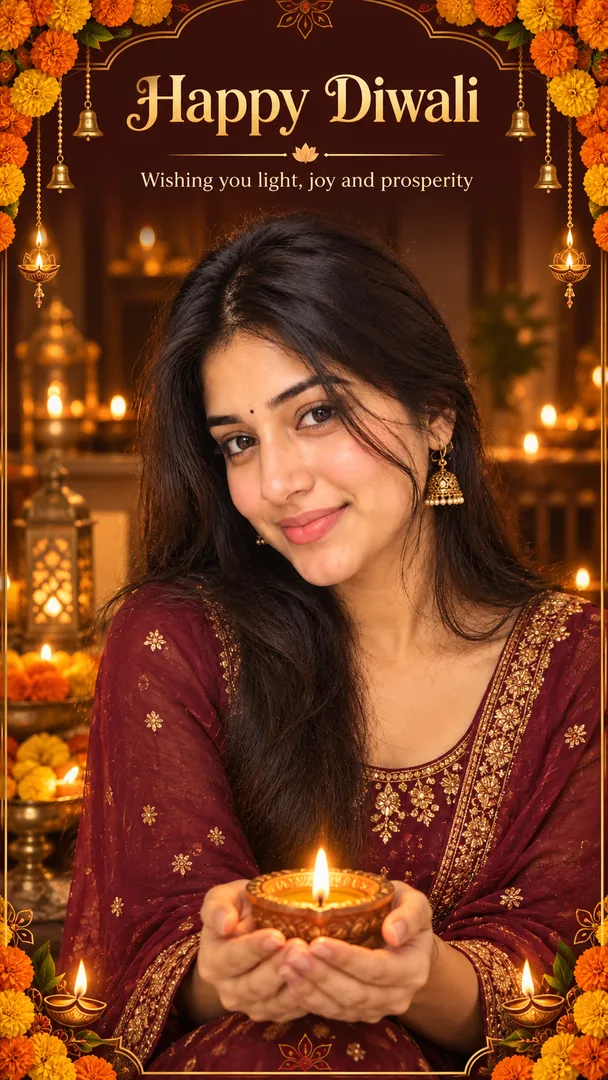
Make a Happy Diwali wishes card from the attached photo, with everyone in it kept exactly as they look. Layout: [layout, for example us inside an ornate gold border of diyas with marigold garlands at the corners]. Colours: [colours, for example deep maroon and warm gold]. Outfits: [outfit, for example traditional Indian festive wear]. Headline [Happy Diwali] and one short line beneath it [Wishing you light, joy and prosperity], both spelled exactly, no other words. Warm lamplight, vertical 9:16.
Try Little Diya Lighter now
Download Trendy AI Lab and create your first AI photo free with rewarded ads.
Coming soon